Plan today.
Follow everything else.
Four priorities keep today small. Tracks keep the things that run for days or weeks, with every update, every wait and every next step in one place. Share a track with family or colleagues when you want to.
Works offline No ads or tracking Account only to share
Some work does not fit in one day
A project, a repair, a subject you are studying, a move. Updates arrive days apart, and the context is gone by the time you need it. Focus Four Pro keeps that story for you.
Without a memory
- Updates scattered everywhereNotes, chats and emails, none of them next to the task.
- Blocked work clutters todayTasks that cannot start yet sit on the board and nag you.
- No sense of progressYou cannot see what happened last week, or why.
With Focus Four Pro
- Every update in its trackDated notes on the task or the whole track, written in seconds.
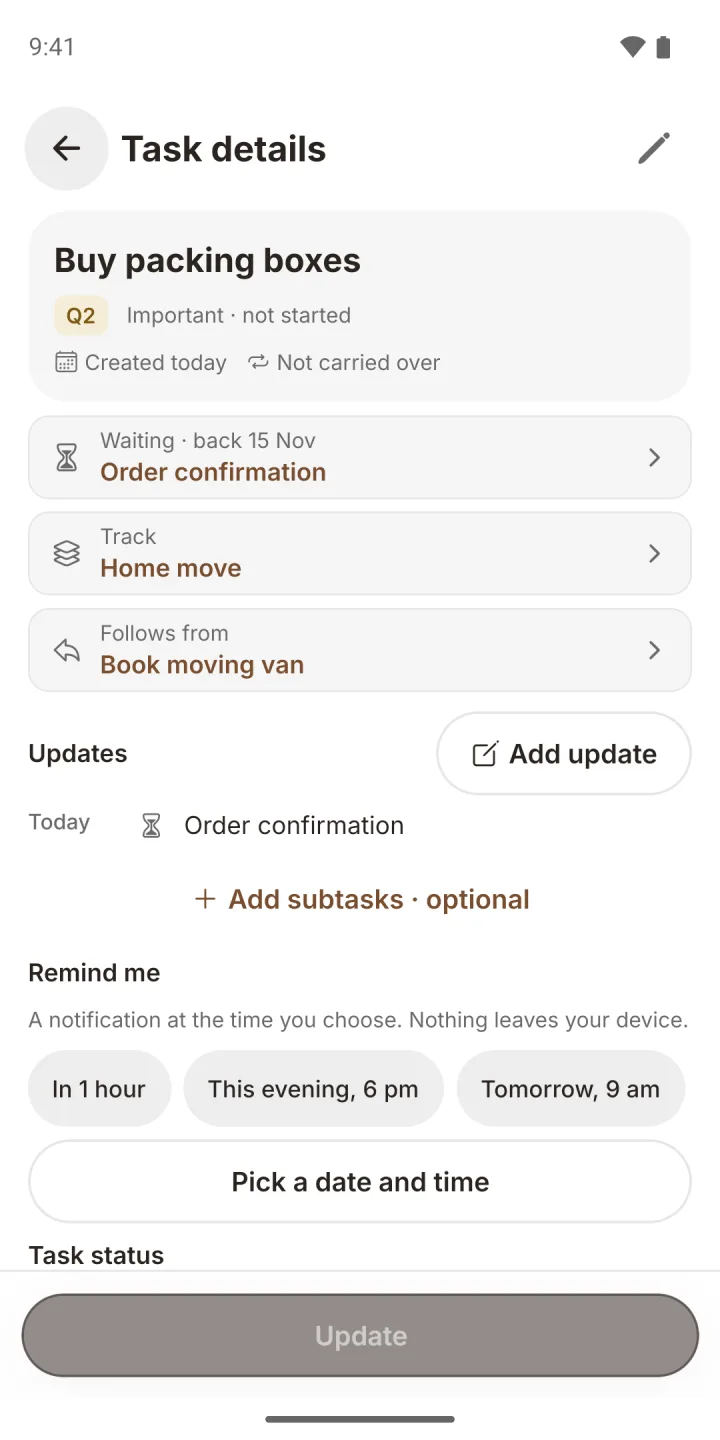
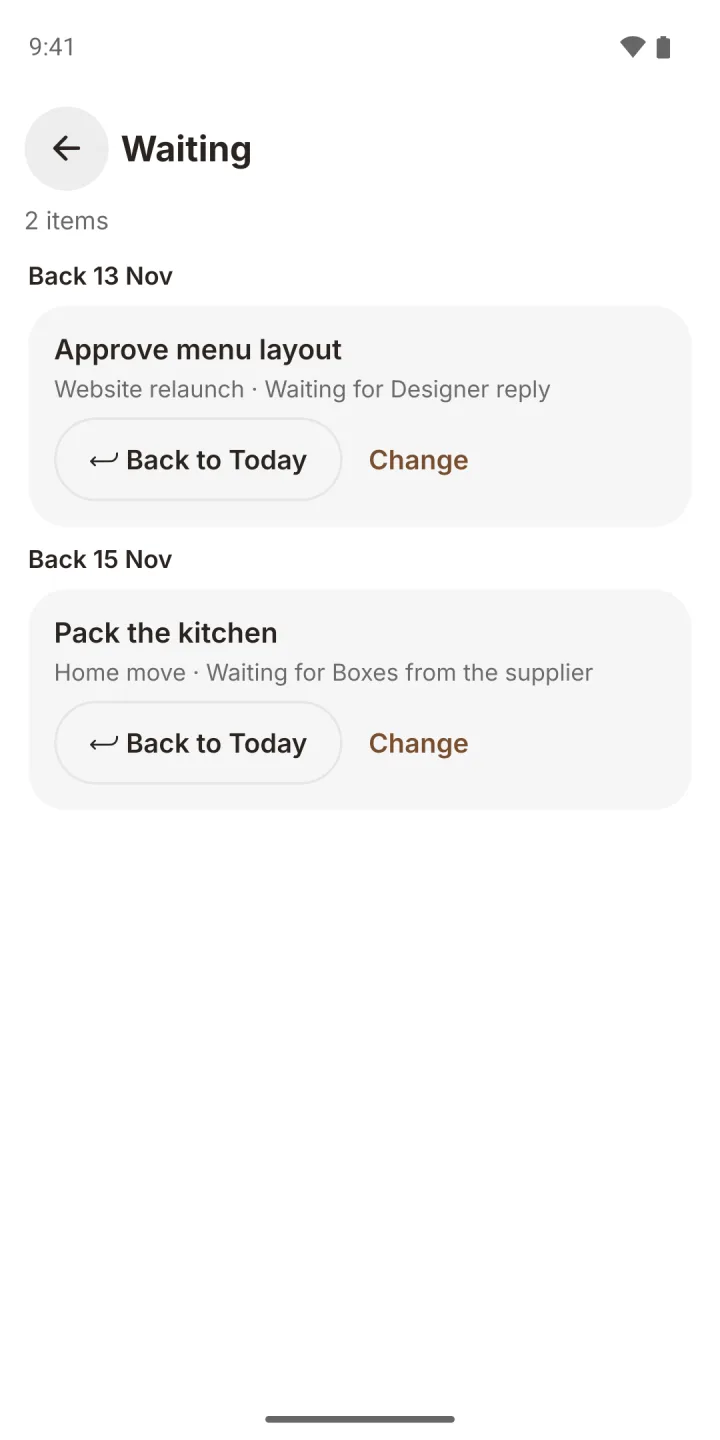
- A waiting list that returns workPark a task, pick a check-back date, and it comes back to Today on that day.
- A visual FlowThe whole track as a calm timeline, newest day first.
Tracks: follow anything over time
A track is a name you choose. Tasks can belong to one, and a task without a track works exactly as before. Keep a track private, or share it with the people who work on it with you.
Everything you follow, on one screen
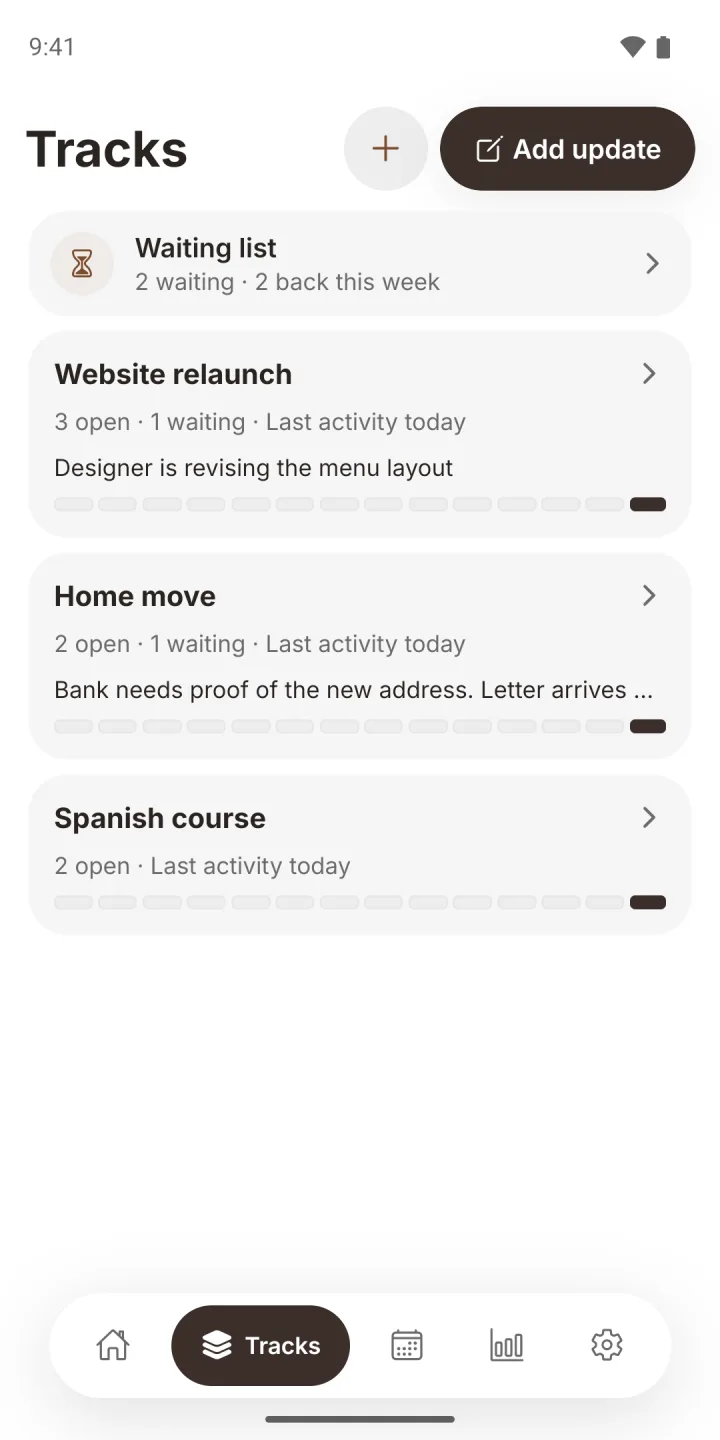
Each track card shows its open and waiting work, when it last moved, the latest update and a 14-day activity strip.
- Quiet tracks stand out. Open work with no update for 7 days is flagged.
- Rename or archive a track. Archiving keeps every update and can be undone.
- Waiting list sits at the top, one tap away.
Write what happened, and what is next
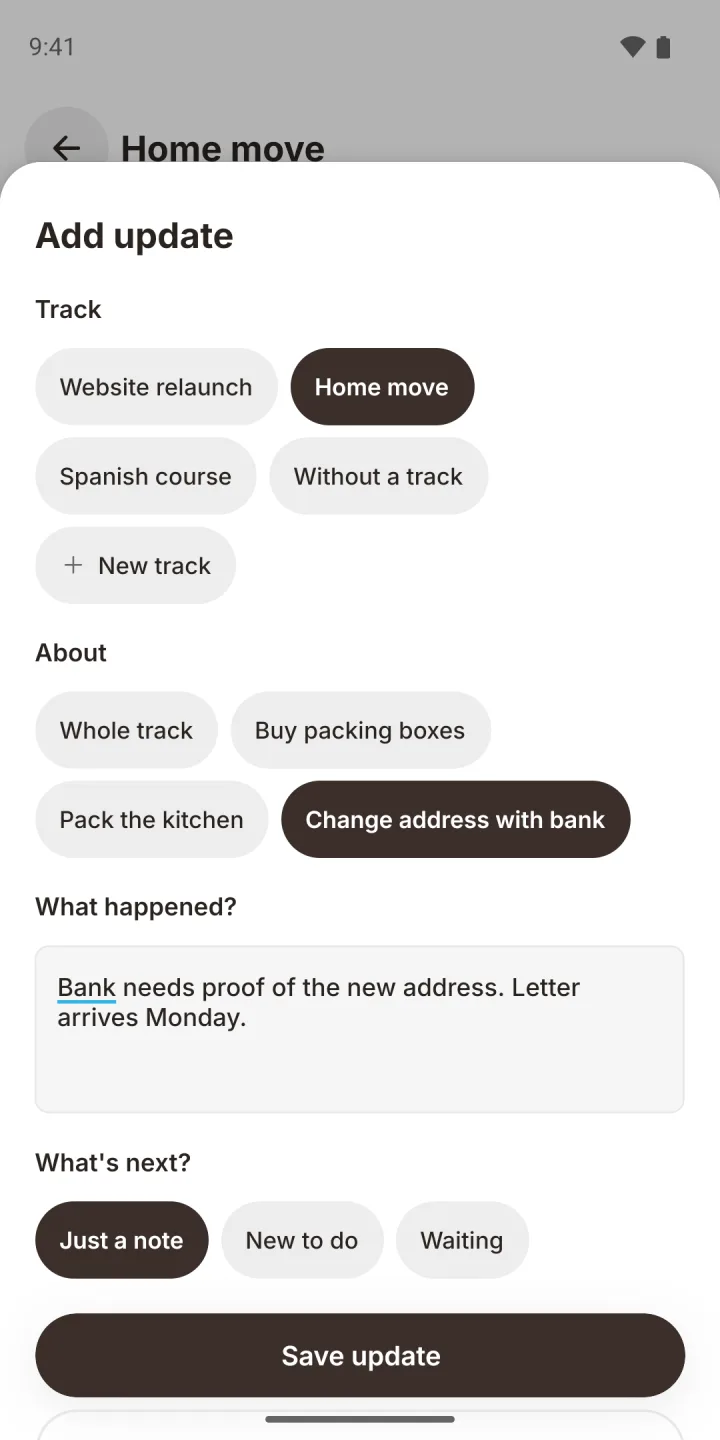
Add update opens one short sheet: the track, what it is about, what happened, and what comes next.
- Just a note, a new to do, or waiting. The next step is created in the same tap.
- Follows from. A to do created from an update is linked to the task that caused it.
- Drafts are kept if you leave the sheet halfway.
Not ready yet? Park it
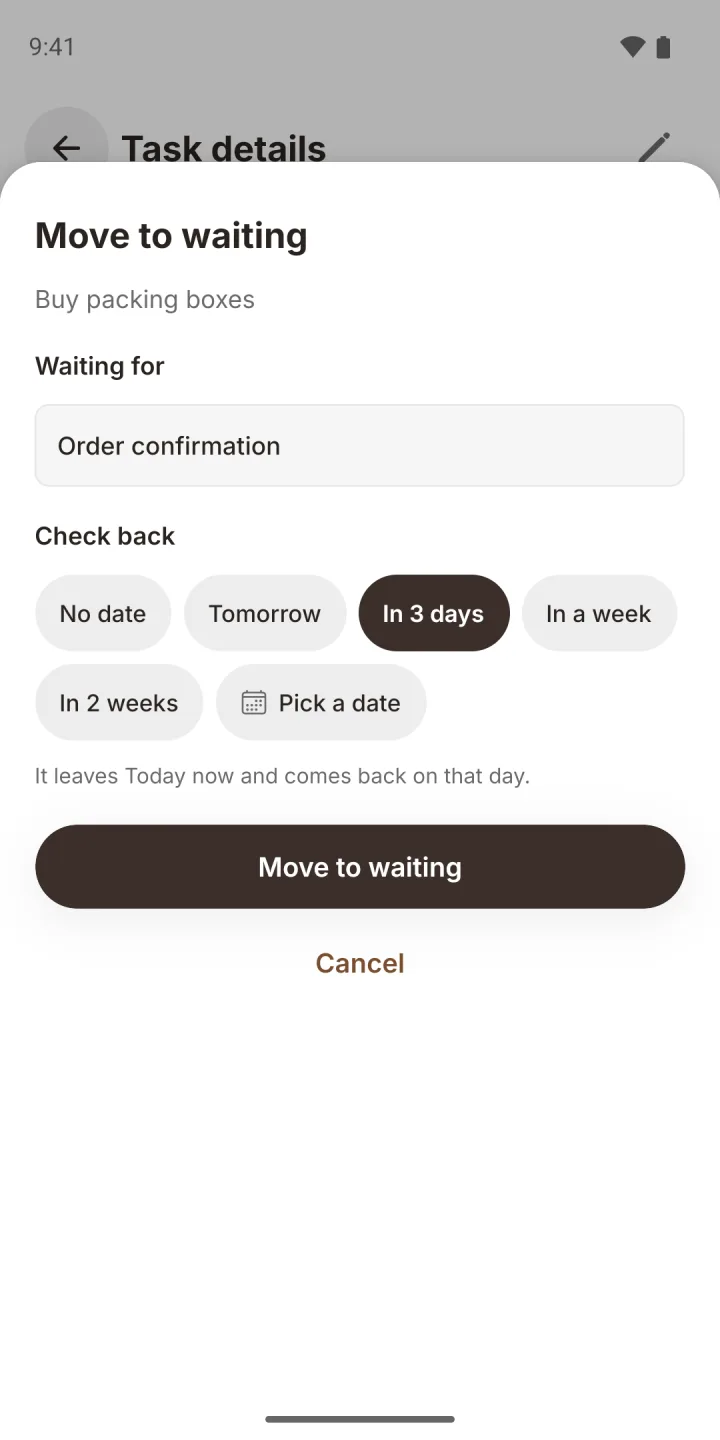
Move to waiting takes a task off Today. It stops counting against your day and is never carried or raised while it waits.
- Pick a check-back date: tomorrow, in 3 days, a week, two weeks, any date, or no date.
- It comes back on its own with its priority unchanged and a "Back from waiting" label.
- Back to Today brings any item back early.
See the story of your work
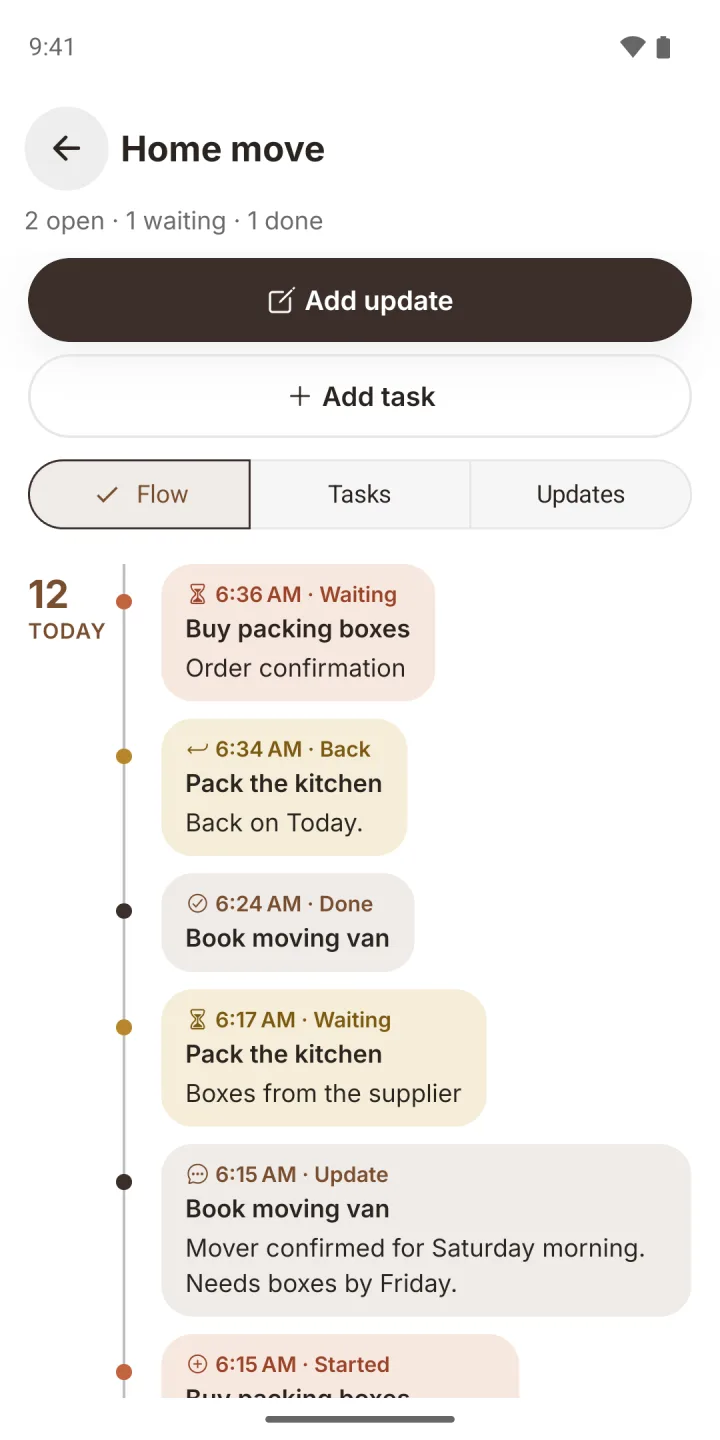
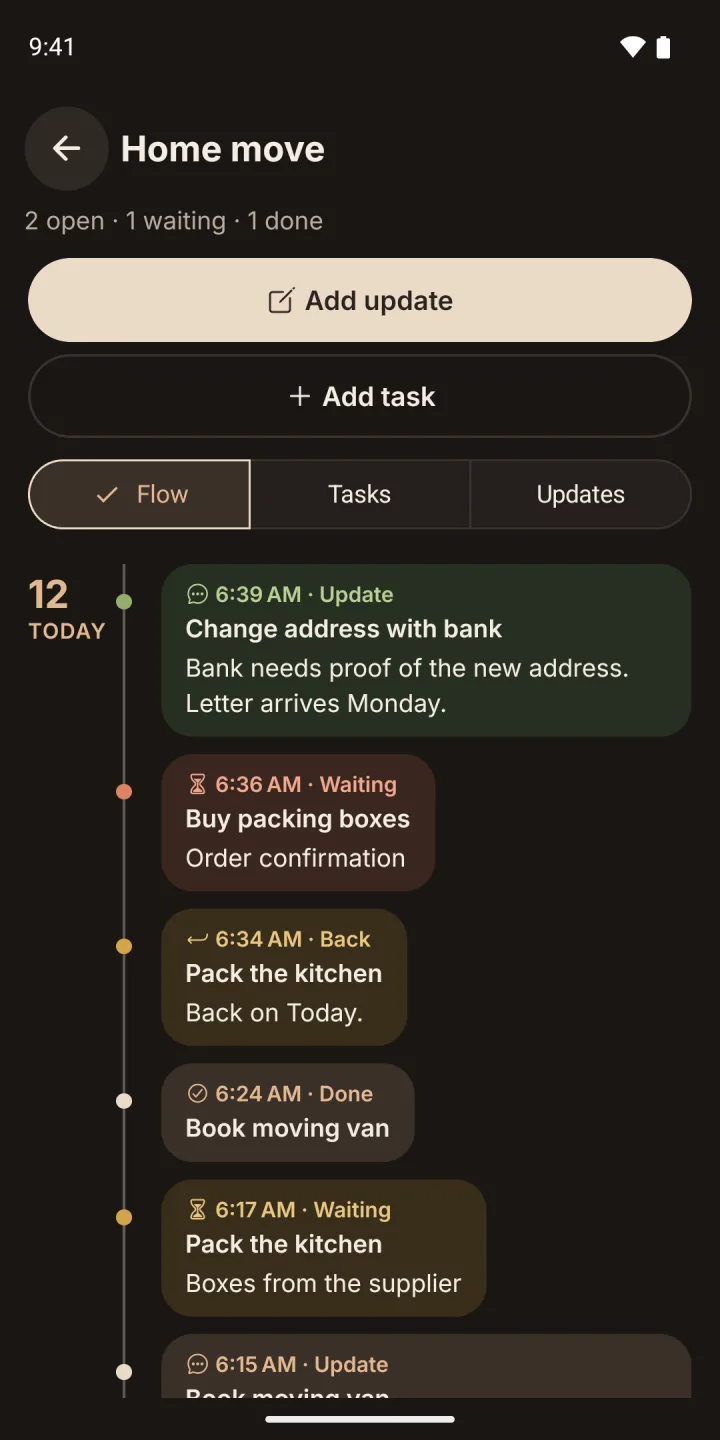
Open a track and choose Flow. Each day gets a date, a dot on a line, and soft pills for what happened: started, update, waiting, resumed, completed.
- One colour per task, so one task's story is easy to follow.
- Quiet days are skipped. The last 30 days show first, with earlier history a tap away.
- Tap a pill to open that task.
A quiet nudge on the right day
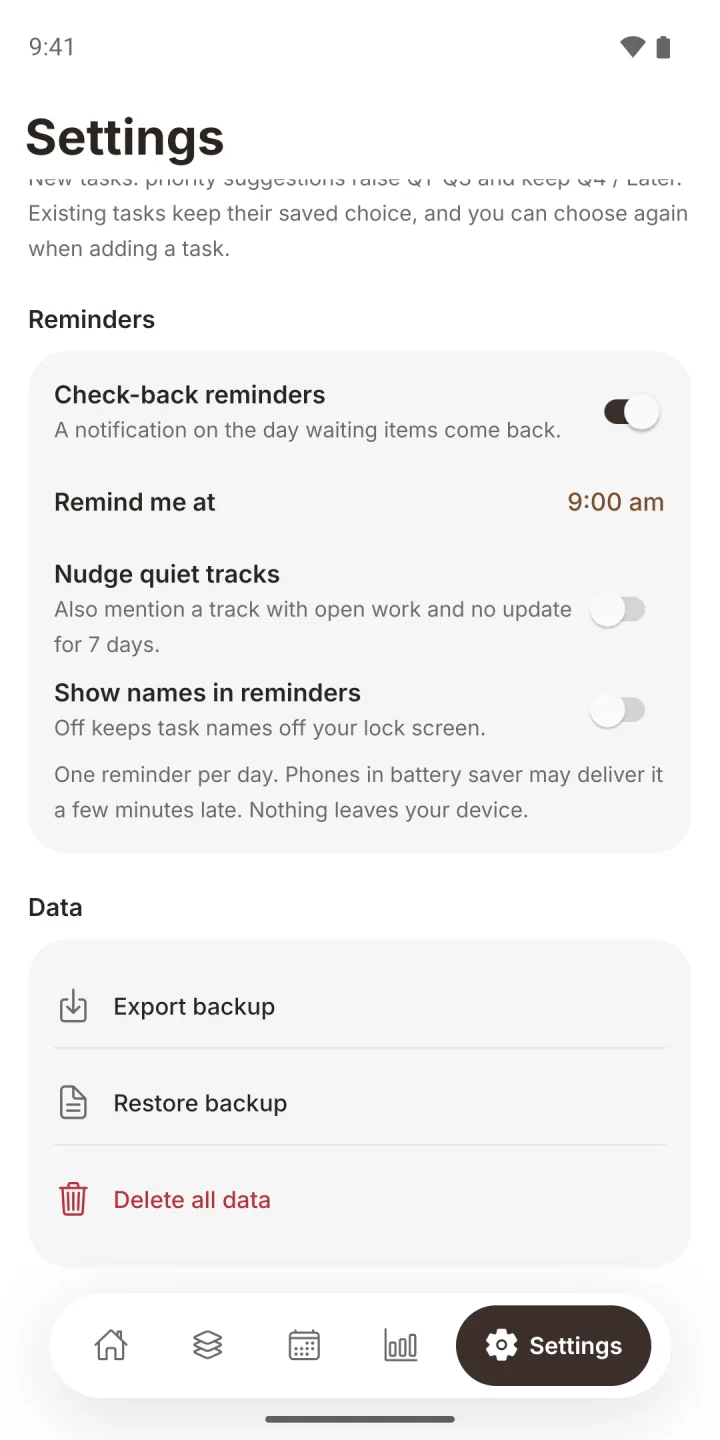
Check-back reminders are off until you turn them on. Then one local notification a day, at the time you pick, says how many items are back on Today.
- Created on your phone. No server and no push account.
- Names stay hidden from the lock screen unless you choose to show them.
- Nudge quiet tracks, if you want to hear about tracks that have gone quiet.
Stop losing context between updates. Keep today small, and let every track remember the rest.
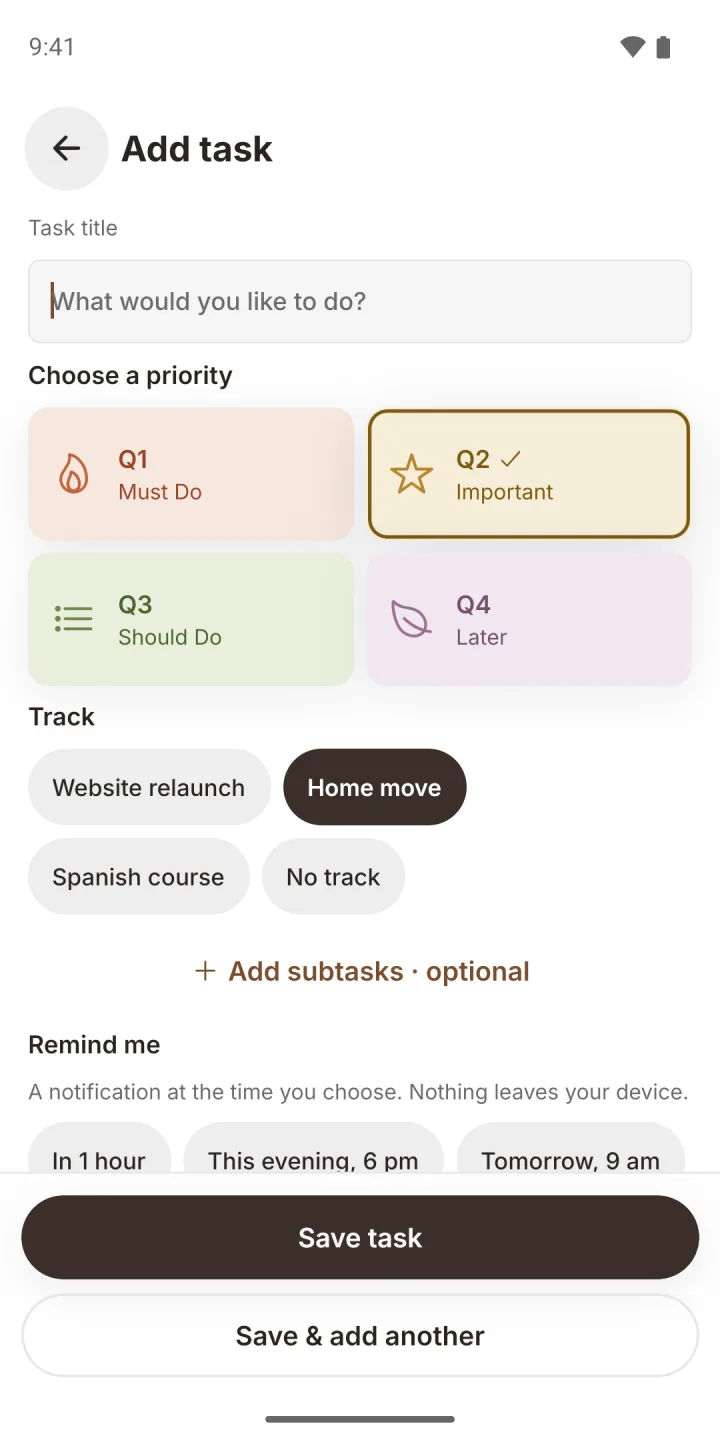
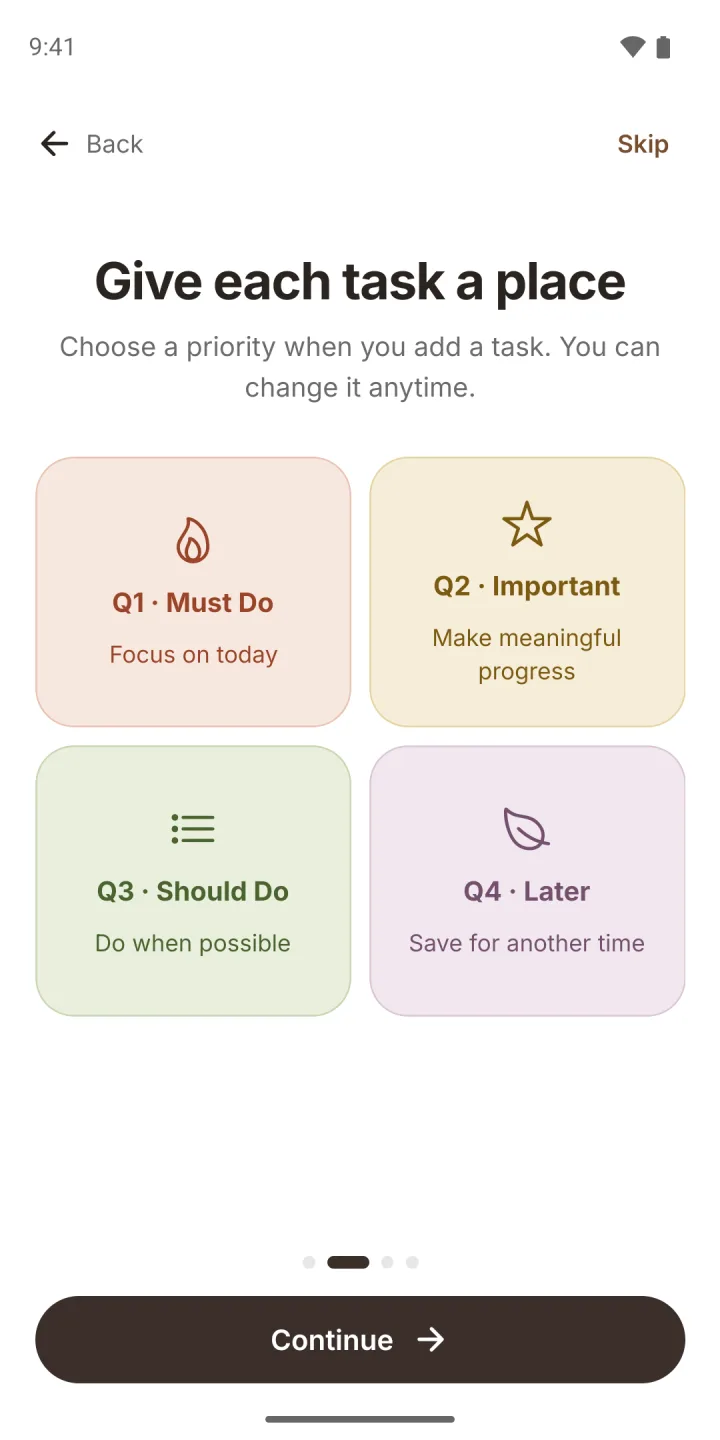
Four priorities, one calm day
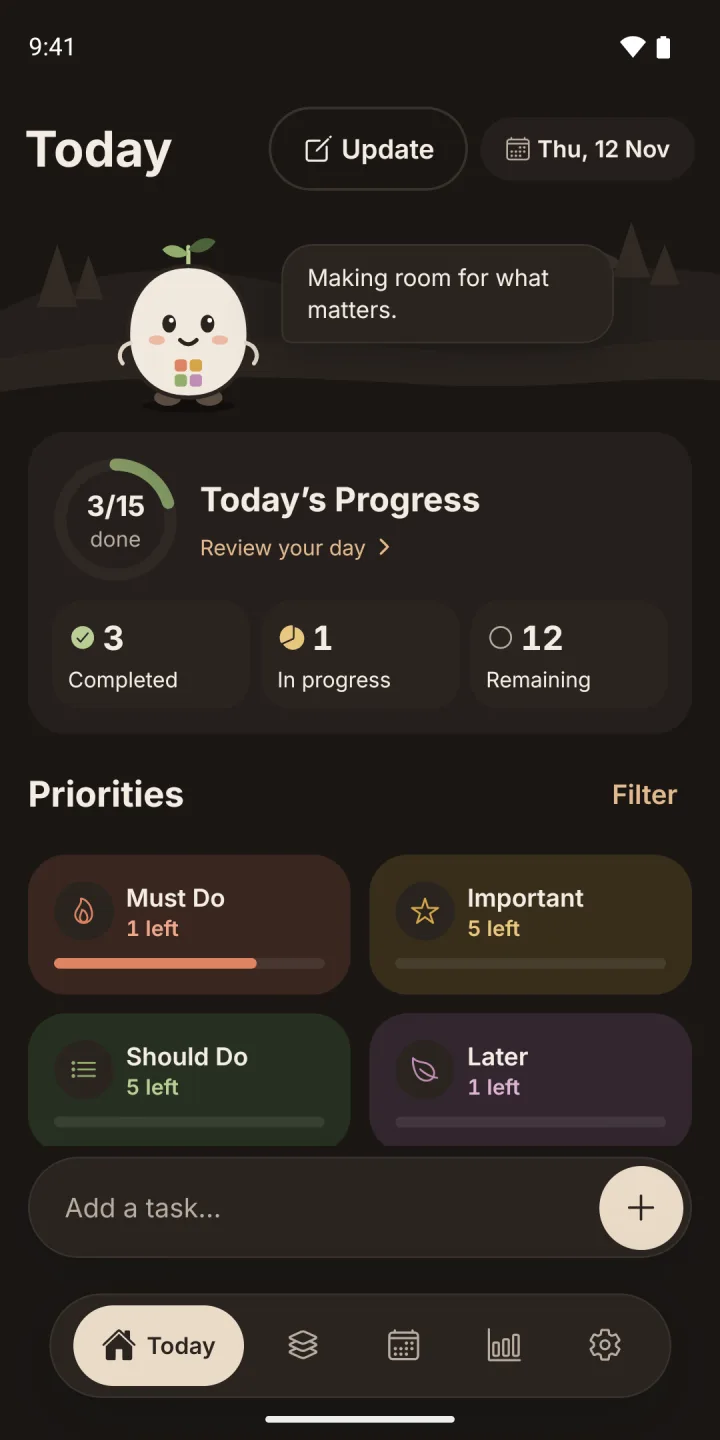
Everything in Focus Four is here too: Must Do, Important, Should Do and Later, with gentle carry forward and honest insights.
One board, one glance
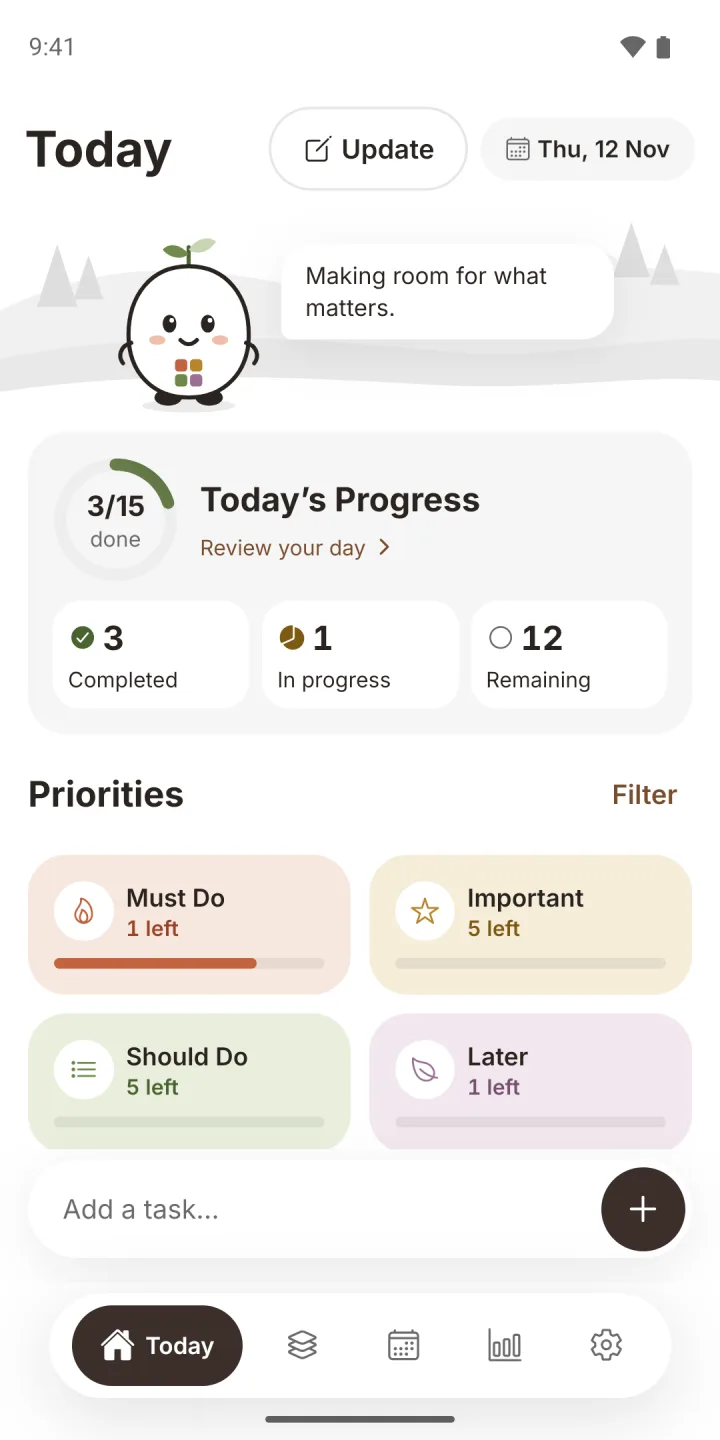
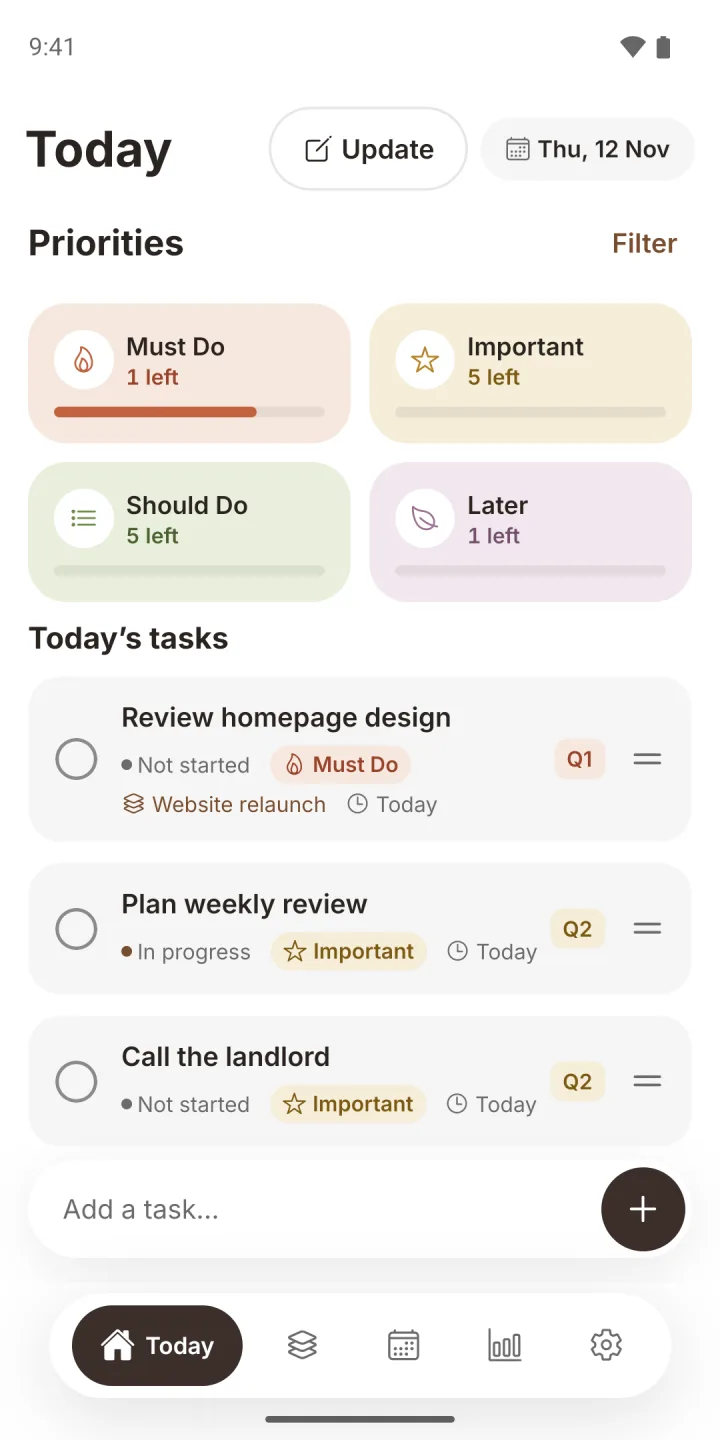
A progress ring, a card per priority and your task list. Tap a card to filter, tick a task to finish it.
- Update and Add task sit side by side at the top.
- Subtasks with their own progress count.
- Undo appears the moment you complete a task.
Unfinished is not failed
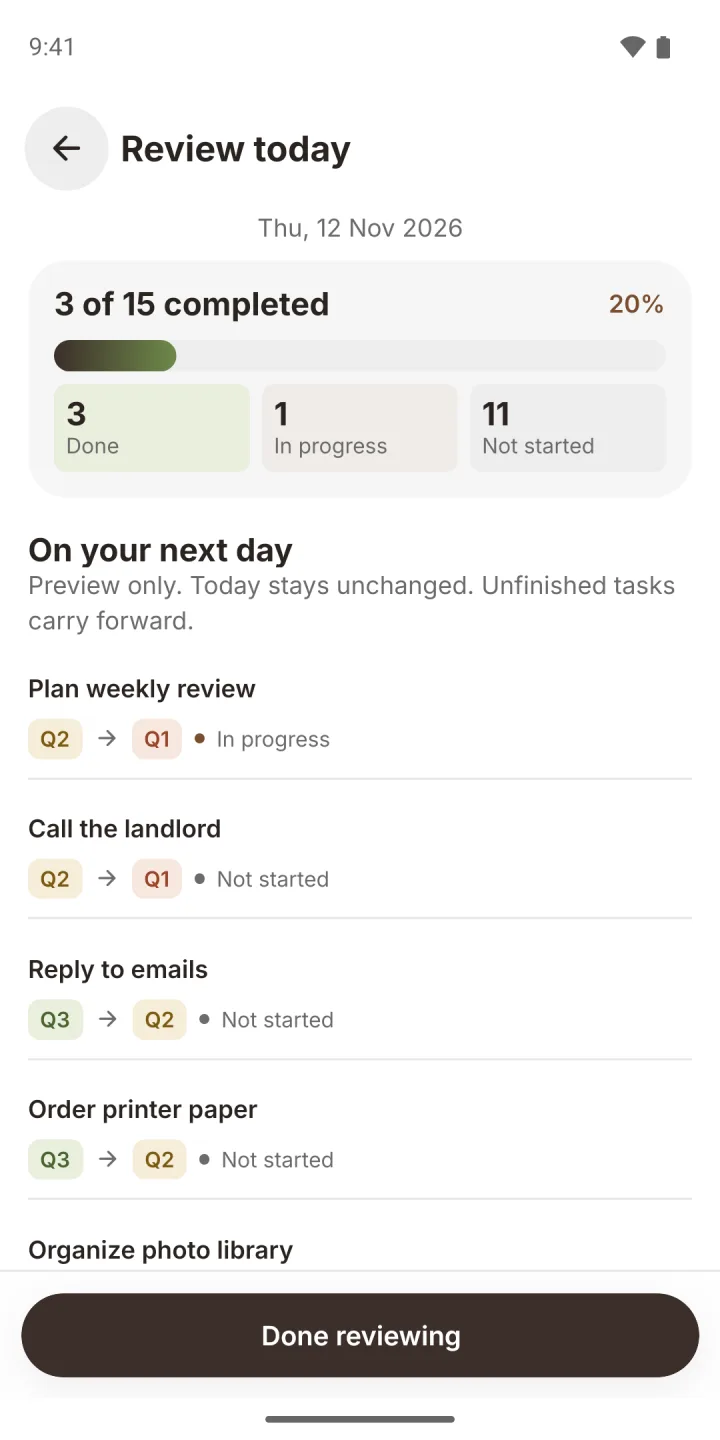
Open tasks move to the next day on their own. For each task, choose whether it rises one priority a day or stays where it is.
- Review today shows what carries before it does.
- Waiting items are left alone. They never rise while they wait.
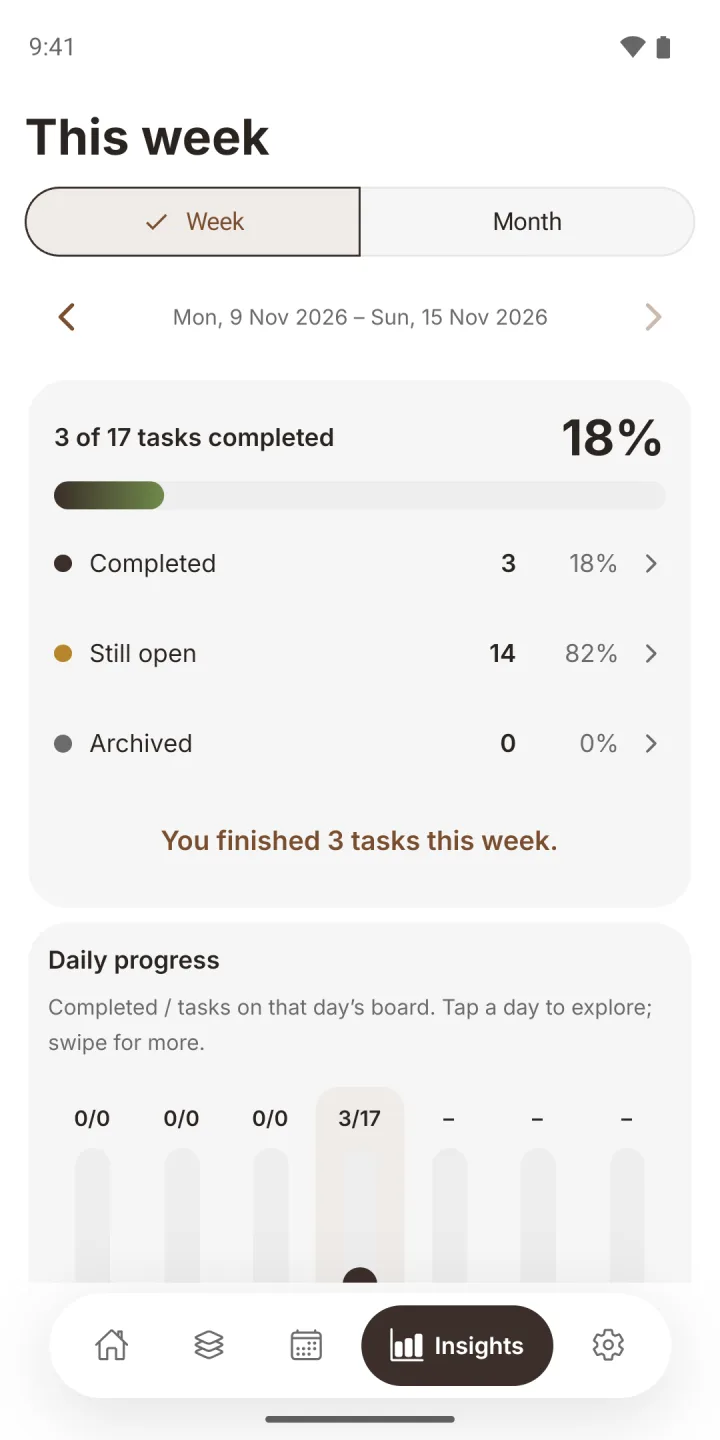
See your week, honestly
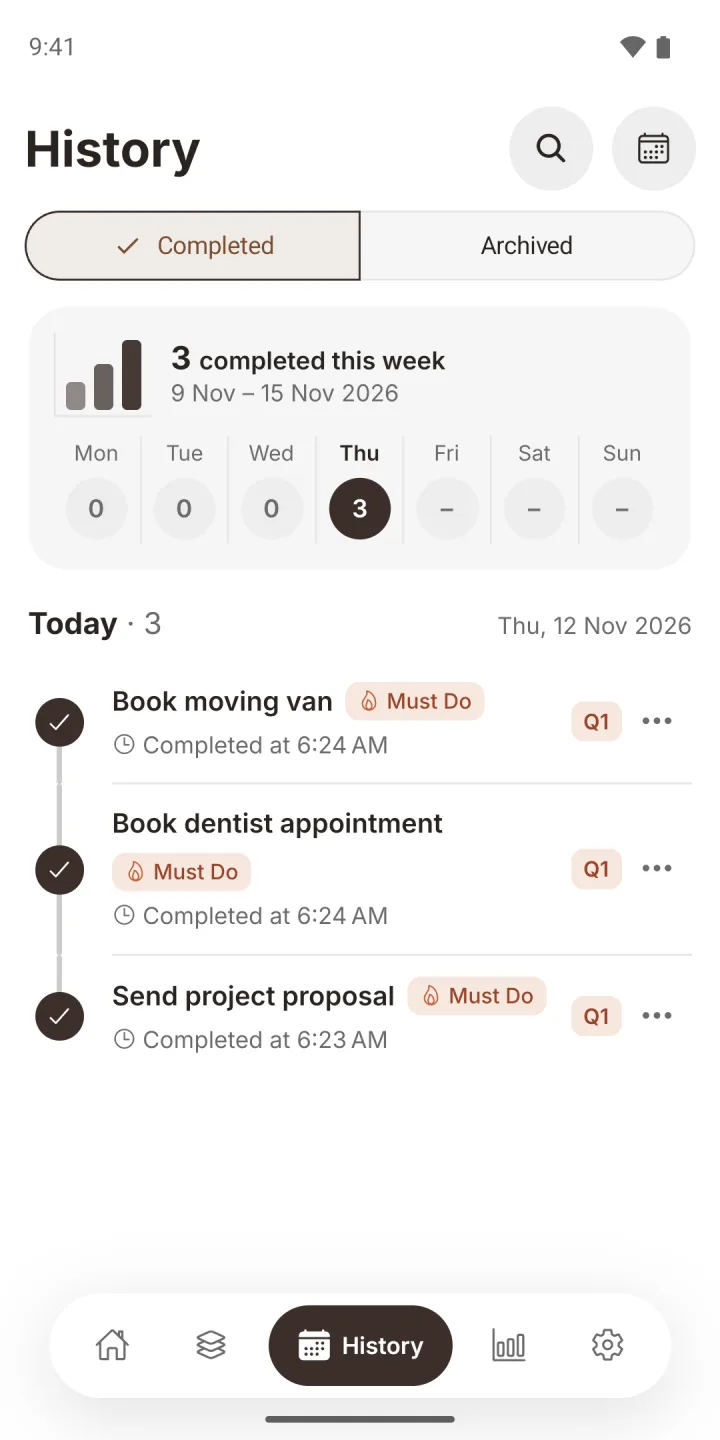
Weekly and monthly summaries of what you completed and what is still open, with every number linked to its tasks.
- History keeps completed and archived work. Reopen or restore anything.
- No streaks, points or pressure.
Every screen, as it really looks
Light or navy, following your phone setting. Scroll sideways to see more.
Your tasks stay on your phone. Share only what you choose
The planner works fully offline and needs no account. Nothing you plan is sent to us or anyone else unless you export a backup yourself or share a track.
Private by default
Tasks, tracks, updates, History and Insights live in a private database on your device. Only a track you choose to share is stored online, and only its members can see it.
Account optional
An account is needed only to share a track with other people. Your private tasks never leave your phone.
No tracking
No ads, no analytics, no ad identifiers and no crash reporting service.
Local reminders
Reminders are created on your phone. No server, no push token.
Your backup, your file
Export a JSON backup with your tracks and updates, and restore it on a new phone. Backup files are not encrypted.
Delete everything
One confirmed action in Settings removes all your planner data. You can also delete your account in the app.
Good to know before you install
How is Pro different from Focus Four?
Focus Four is the free four-priority board. Focus Four Pro adds Tracks, dated updates, "follows from" links, the waiting list with check-back dates, the Flow timeline, check-back reminders and shared tracks. The free app stays available.
How much does it cost?
You pay once when you download it from the store. There are no in-app purchases, subscriptions or ads.
Do I need an account?
Only to share a track. The planner works fully without one, and an account never stores or syncs your private tasks.
How does sharing a track work?
Open a track, tap Share, then Invite someone. You get a code to send through any app. The other person opens Tracks, taps Join with code and enters it. Up to 20 people can be in a track, and the code works for 7 days.
Does everyone I share with need Focus Four Pro?
Yes. Everyone in a shared track needs the app and a free account with email, Apple or Google sign-in.
What can the people in a shared track do?
They can add and edit tasks, subtasks, waiting items and updates, assign tasks to Anyone, themselves or a member, and finish tasks. A finished task shows who did it. Only the owner can remove people or stop sharing.
What happens when someone leaves or sharing stops?
Whoever leaves, is removed or sees sharing stop keeps a private copy on their phone, so nobody loses their work. Tasks that were assigned to others become theirs in that copy.
Can other people see my private tasks?
No. Only a track you choose to share is stored online. Your other tracks, your tasks without a track, reminders, History and Insights stay on your phone. Members see your name, never your email.
What can a track be?
Anything you follow over time: a project, a home move, a repair, a subject you are studying. You name it.
Does it sync between phones?
Your private tasks do not: they stay on the device, and you move to a new phone by exporting a backup from Settings and restoring it there. Tracks you share with other people (up to 20, by invite code) sync between everyone in them.
Which devices does it run on?
Android phones and iPhone. There is no tablet layout or web app.
Where can I read the privacy policy?
Read the full privacy policy and terms of service.
Coming soon to Google Play and the App Store
Focus Four Pro is on its way to Android and iPhone. Questions before then? Write to us.
No ads. No in-app purchases. Private by design.
 VeriCode